Before you build a web app: a practical guide for companies
From defining the job and the users to handover and maintenance: the decisions that make or break a web app or internal tool before the first line of code.
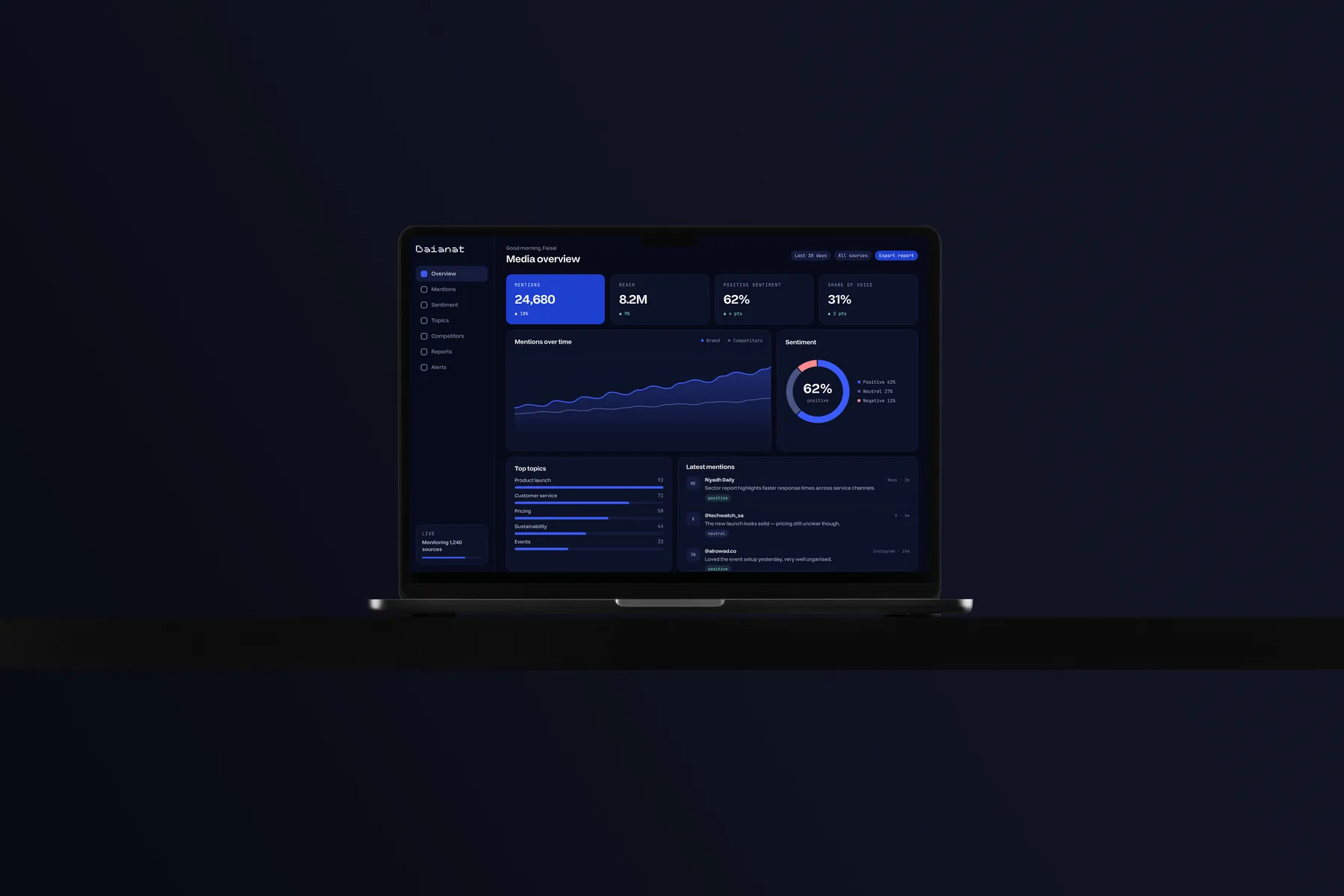
Many companies decide to build a web app once spreadsheets and scattered messages stop coping: requests get lost in chats, reports are pulled together by hand every week, and customers have no idea where their case stands. The instinct is usually right, but projects tend to stumble on the decisions made before development, not on the development itself. This guide walks through those decisions in the order we suggest to any company planning an internal tool, a customer portal or a dashboard.
Start with the job, not the feature list
The first question is not what the app should include, but which job you want done better. Put it in one sentence: a field rep submits a customer order and it reaches the warehouse without a phone call, or a manager sees every branch's numbers each morning without waiting for a file. That sentence becomes the yardstick for every feature proposed later: does it serve the job, or distract from it?
Who will actually use it?
List the real users and their roles, not the departments. The employee entering data dozens of times a day needs speed and shortcuts. The manager who opens it once a week needs one clear page. The outside customer needs to learn nothing new. Sit with someone from each group and watch them do their current work. Half an hour of watching reveals what a long meeting will not.
A small first version that works
The constant temptation is to put every idea into version one. The result is a long project, users left waiting, and features built on assumptions nobody tested. A good first version completes the core job from start to finish for one group of users, and moves everything else to a written list the team reviews after launch.
- One complete journey, from opening a request to closing it, rather than several half-journeys
- Only the essential roles and permissions, with room to add more later
- One report that answers the question the project started with
- Data export, so information never gets locked inside the system
- A written, agreed list of what is postponed, instead of verbal promises
Arabic first in the interface
If your users work in Arabic, design in Arabic from the start rather than flipping an English interface at the end. In web apps the problems show up in details a brochure site never meets: tables read from the right, number columns that need consistent alignment, and fields where Arabic and English mix, such as product names and email addresses.
- Direction of tables, lists, arrows and next/previous buttons
- Numerals: Western or Arabic-Indic digits, and how they appear in exported reports
- Dates: Gregorian, Hijri or both, in one consistent format across every screen
- Search that finds a name whether or not the user types the hamza, and treats common letter variants flexibly
- Error messages written as clear Arabic sentences that say what went wrong and how to fix it, not technical codes
Data and permissions before screens
Before drawing a single screen, decide what data the system will hold, who owns it, who can see it and who can change it. A simple grid with roles on one axis and actions on the other (view, add, edit, delete, export) saves long arguments later. Think too about the data living today in spreadsheets and older systems: how it will be migrated, who checks it afterwards, and what happens to incomplete records.
A record of every change
In internal tools, the day always comes when someone asks who changed this price, and when. An activity log that keeps track of who did what and when is not a luxury; it is part of trusting the system. Permanent deletion is best kept rare and tied to a clearly defined permission.
Mobile is not a shrunken desktop
Even internal tools are opened on phones now: a rep in the field, a manager in a meeting, a customer waiting in the car. So test on mid-range devices and weak connections, not only on the newest phone in the office. A page that is slow to appear, or whose elements jump while loading, makes people tap the wrong thing, and a long form should keep what was typed if the connection drops. In Sadeem Lab we built a speed checker that measures a page on mobile and desktop and shows what slows it down most, a reminder that speed is something you measure, not guess.
Analytics, with consent
Define the questions before the tools: how many requests close each day, where people abandon the form, which screen nobody opens. Then track only the events that answer them, with consistent names the whole team understands. On public pages, ask visitors for consent before running non-essential tracking, and honour a refusal in practice, not just on screen. If the app receives traffic from campaigns, consistent links are what tell you where people came from. That is why the lab includes a UTM builder, a link checker that follows a link to its landing page, and a pixel checker that shows whether a pixel is installed and actually firing.
A system your team does not trust will not be used, whatever its features.
Security basics that cannot wait
Security is not a final phase; it is a set of habits that starts on day one. These are basics worth asking about with any team building for you:
- Encrypted connections on every page, not just the login page
- Two-step verification for admins and anyone with broad permissions
- The least access each role needs, and accounts closed as soon as people leave
- Regular backups, with an actual restore test rather than trust that they exist
- Regular updates to libraries and servers
- API keys and passwords kept out of the source code
- Validation of everything a user types or uploads
If the system stores personal data about customers or staff, review the requirements of the Kingdom's Personal Data Protection Law with your legal adviser before launch, not after.
Handover and maintenance belong in the agreement
Many companies find out a year later that they cannot access their own domain, server or code. Agree on handover from the start, and put it in the contract:
- Domain and hosting accounts in the company's name
- Source code in a repository the company owns
- Short documentation: how the system works, how it is run, and where the data lives
- Admin accounts for the company itself, not only for the vendor
- A clear maintenance plan: what it covers, who to call when something breaks, and how changes are requested
Launch is where the real work begins: user feedback, postponed items waiting their turn, security updates. An app that is not maintained ages quickly, however good it was on launch day.
How we work at Sadeem
In our technology work we start by understanding the need: the problem, the user, and what success looks like. We design interfaces and flows before a single line of code, build and test on the devices and browsers your audience uses, launch with tracking and analytics from day one, and then host and support after launch. For Baianat, a Saudi data-analysis and media-monitoring company, the identity did not stop at a logo: it extended into a component system for dashboards and reports, because the company's product is itself a data interface.
In short
A successful web app starts with a clear job and known users, a small first version that works end to end, an Arabic interface designed from the start, deliberate permissions, security that is never postponed, and a handover that ensures the company owns its system. Settle these early, and development becomes the easiest part of the project.