Producing an annual report, step by step
A practical guide that starts from the publish date and works backwards: collecting data from departments, structure, writing and charts, Arabic and English editions, print and digital, approvals and accessibility.
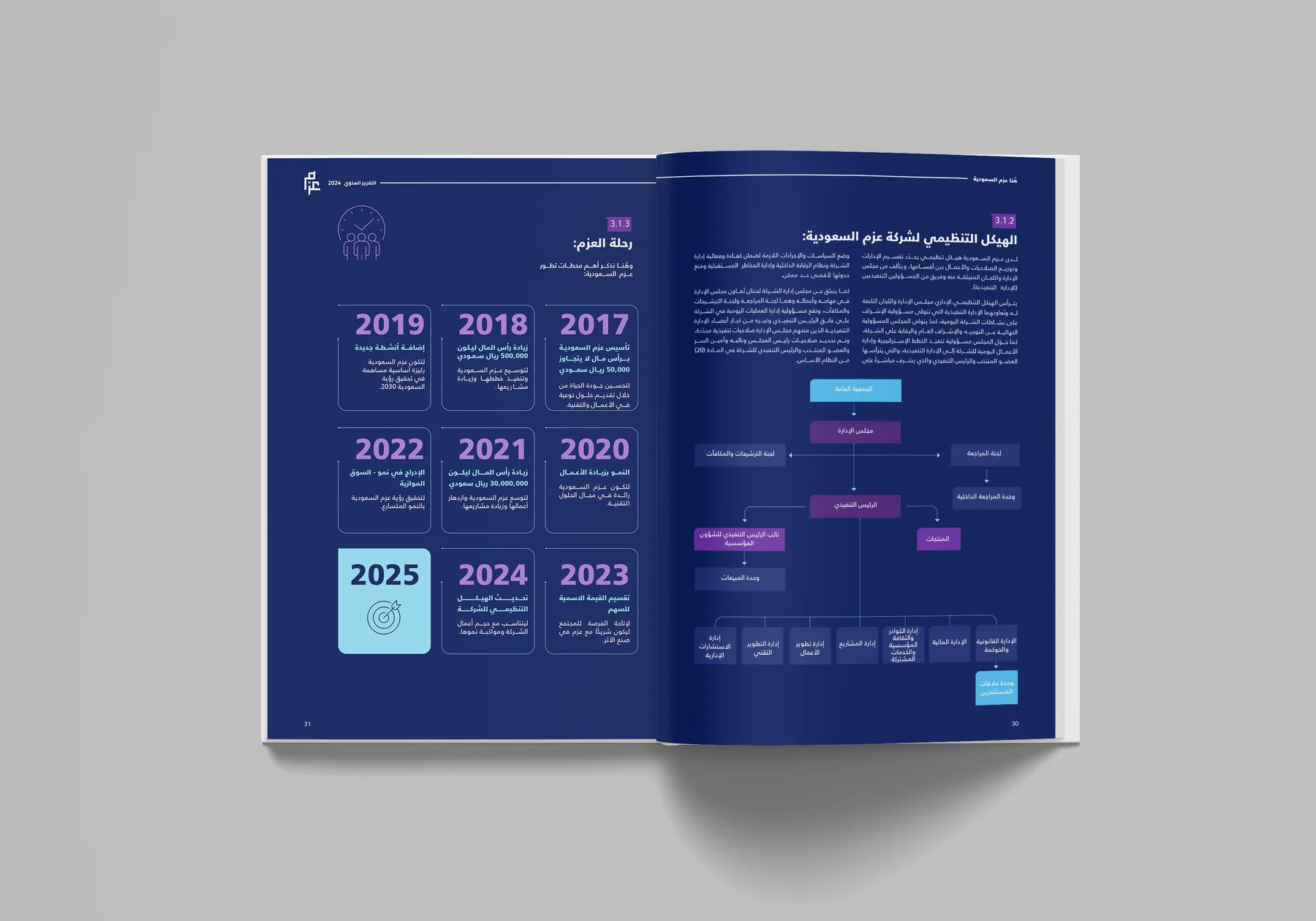
Annual reports rarely stumble at the design stage. They stumble long before it: data arrives late, two departments report different figures, the leadership message waits for sign-off until the final week, and the English edition gets written in a rush. This guide walks through production in the order an organisation actually needs it, from fixing the publish date to the digital edition a reader opens on their phone.
Start from the publish date and work backwards
The first decision is the publish date, not the start date. It may be tied to a general assembly, a board meeting, an event where the organisation announces its year, or a regulatory disclosure deadline. Work backwards from that date and give every stage a fixed handover date that only moves by decision.
- Publishing and launch: the digital edition and excerpts, ready and live on the day.
- Printing and delivery: press time, binding and transport. Plan this first, because it is the least flexible.
- Final approval: sign-off on the complete file, in both languages, by whoever holds the authority.
- Proofing and review: a set number of rounds for each edition.
- Design and layout: once text and figures are locked, not before.
- Writing: an approved Arabic draft, then the English version.
- Data collection: one standard request to departments and a clear cut-off.
- Planning: the message, the chapters and who owns what.
Keep a buffer before printing in particular, because any delay in approval comes out of press time, not design time. If the financial statements are waiting on the external auditor, treat their release date as a fixed point, build the other stages around it, and keep the rest of the chapters moving so work does not stall.
Collecting data from departments
What delays reports most is waiting for data, then finding it arrived in different formats and for different periods. The fix is a single, standard request from the report team to every department, instead of scattered emails that get sent and forgotten.
What the data request should include
- The indicators needed from each department, with a definition and unit for each one.
- The reporting period: fiscal, Gregorian or Hijri year, with exact start and end dates.
- Last year's value next to this year's, so the comparison can be read without extra digging.
- The source of each figure and the person responsible for it.
- Key initiatives and projects in two lines each, with photos where available and the rights to use them.
- One cut-off date, and what happens if data misses it.
Name one person in each department as the owner of its data, and gather everything into a single master file. That file is the source of truth: any figure that appears in the design must be in it, with its source. When two departments disagree on a number, settle it in the master file before it reaches the page, not after a board member spots it.
A structure that answers the reader's questions
Most annual reports share the same sections; what differs is their order and weight. A typical structure covers leadership messages, an introduction to the organisation and its vision, the year's headline figures, strategy and progress against its goals, achievements by sector or pillar, governance and organisational structure, financial performance, and sustainability or community impact where that is part of the organisation's work.
Before writing, draw a page map: each chapter, its rough page count, and the text, charts and images it holds. The map shows early which chapter is bloated and which lacks material, and it gives the writer, the designer and the printer one shared reference for the report's size.
Writing: a style guide before the first draft
When several people write, a report ends up with several voices and conflicting terms. A short style guide agreed before the first draft prevents this and shortens proofreading later.
- The organisation's name and the names of its programmes and departments, exactly as written officially in Arabic and English.
- The numeral style for Arabic text, and how currency, percentages and dates are written, applied on every page.
- A glossary of terms and their English equivalents, so one term is never translated three ways.
- A rule for headings and paragraphs: the heading states the finding, the paragraph explains it.
Leadership messages need special handling. Write them early and send them for approval early, because they are usually the last thing approved and the most edited. They work best when they express the report's main message and the direction for the coming year, rather than repeating figures the reader will meet a few pages later.
Data, charted accurately
A chart in an annual report is part of an official document, and an error in it is more embarrassing than a typo in a paragraph. Choose the chart by the question it answers: bars to compare items, a line for change over the years, a pie for parts of a whole when the parts are few and distinct. An organisational structure or a timeline reads faster as an information graphic than as a table.
Checks before any chart is approved
Match every chart against the master file. Start the axis at zero when the comparison relies on bar length, label the unit clearly, and cite the source under the chart. Keep colours consistent across the whole report: the same colour for the same indicator on every page. And never lock key figures inside an image that cannot be read or searched in the digital edition.
Arabic and English in one report
The first decision is the format: two separate editions, a single volume that reads Arabic from one cover and English from the other, or facing text on the same page. Each option affects page count, print cost and readability, so settle it during planning, not during layout.
Arabic is written and approved first; the English then says the same thing in language that reads naturally to its audience, not as a literal translation. Every element should be designed to work in both directions: the grid, the page order, the direction of the timeline, and where titles and legends sit in charts. Pair Arabic and Latin typefaces that match in weight and visual size, and expect text length to differ between the languages; a page that fits the Arabic may not fit the English as it stands.
Print and digital are separate decisions
The printed edition needs early decisions on size, paper, binding, finishes and print run, and each of them affects both budget and press time. Ask for a colour proof before the full run, because what looks right on screen does not always match paper, and supervising the print catches what the files do not show.
The digital edition is not the print file uploaded to the website. The print file is heavy and set up with bleed, while readers need a lighter file or a version they can flip through in the browser, with links from the contents page to each chapter. Plan both editions together from the start, so the digital one does not begin only after the print one is finished.
Approvals: set rounds and one owner
Many reviewers with no order means conflicting comments and endless rounds. Appoint one report owner who collects comments and resolves conflicts, and agree in advance on the number of rounds and who reviews in each: content, then figures, then language, then final layout. Name every file with its version number and date, and do not accept comments on an earlier version.
Every figure in the report has a source, and every page has someone who signs it off.
A report everyone can read
An annual report is a public document, and every reader should be able to reach its content. In the digital edition that means real, searchable text rather than images of pages, a correct reading order that starts from the right in Arabic, alternative text for charts and images that says what the image says, enough contrast between text and background, and tagged headings that help screen readers navigate. In charts, never rely on colour alone to tell data apart; label each element directly.
In short
An annual report is a production project as much as a design project. When the schedule starts from the publish date, data arrives through one request into one master file, the language and edition decisions are made early, and approvals run in clear rounds, the report arrives on time and stands up to any question about its numbers.